
 CYC Photon Gen2
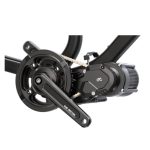 CYC X1 Pro Gen4
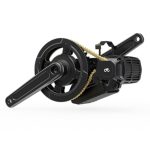 CYC X1 Stealth Gen3
 Bafang BBSHD
 E-Bike motors BESTSELLER


With the help of Stefan Penov’s software (Bafang Config Tool), the controller values can be changed on the laptop / PC using the programming cable. If you are using the Eggrider V2 display, you do not need a programming cable for this – the same values can be changed and saved using the smartphone app (Bluetooth connection to the display). This allows you to adjust the values to your preferences on the go. In this blog, we will show you another way to change the values on the go.
What can be set?
The values that can be changed are primarily fine adjustments so that the motor support works according to your needs. For example:
- More support in assist level 2
- slightly less in assist level 3
- how quickly the PAS sensor should respond (crank movement)
- how smoothly or violently the engine should react when starting
- how short or long should the motor run-on time be after the end of pedaling
- which assist level setting should the throttle correspond to
- etc.
Of course, the power can also be reduced. The ampere value (A2) is adjusted according to the formula V x A = W. The parameter A1 (undervoltage cut-off) has no significant effect when using a battery with integrated BMS (usually present in commercially available batteries) – unless the value is set too high (higher than the actual value in the BMS).
When using the Eggrider V2 display, these settings can be stored twice and changed at the touch of a button (On-Offroad or Eco-Sport profile). A sensible variant would therefore be:
1) Road profile (ROAD or ECO):
- A2: 5A (5A x 52V = 260W) -> Power limited
- A3: Assist 0: set both values to “0” -> no support
- max. speed: 25 km/h (display settings) -> Define maximum speed
- C4: Assist level “0” -> Throttle lever without function
2) Terrain profile (OFFROAD or SPORT):
- Set values higher as required
The following sequence should always be observed: READ – change values – WRITE. By clicking on READ again, you can check whether the changed values have been successfully saved on the controller. We have highlighted the adjustable parameters in color:
- green values can be changed easily
- orange values should be handled with care
- red values should not be changed
——————————————————————————-
You can download the pdf document here
——————————————————————————-
NOTE:
Our controllers are supplied with default settings. These values can be adapted to your own requirements using the software. We would like to point out that you must comply with the legal provisions of your country’s road traffic regulations. We assume no liability for the adjustment of the values, in particular with regard to power and speed, and would like to emphasize once again that you assume responsibility for this yourself.
