
 CYC Photon Gen2
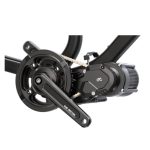 CYC X1 Pro Gen4
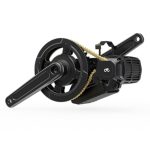 CYC X1 Stealth Gen3
 Bafang BBSHD
 E-Bike motors BESTSELLER

Error 04 - Throttle did not return | Throttle lever no longer returns to zero position
1) Check whether the throttle lever is mechanically at the “zero position” (starting position).
2) If so, unplug the throttle lever and restart the system – the error should then no longer appear -> This means that the throttle lever or the cable is damaged and must be replaced.
Error 07 - High Voltage Protection / Overvoltage protection
1) Check whether the battery is suitable for the system – e.g. 36V battery for 36V system (e.g. BBS01)
2) With the BBSHD motor, this error can be rectified by means of a firmware update (so that 14S, 52V batteries can be used).
“Controller allows voltage up to a certain value (end-of-charge voltage) into the system, e.g. 58.8V for 52V systems. If the 100% state of charge of a 52V battery is 59V, for example, this error appears. The BBSHD firmware update increases the maximum system voltage from 58.8V to just over 59V. As a result, no error message appears and the system functions normally.”
Error 08 - Hall Sensor Error / Hall sensor error inside the motor (on the stator)
1) Connect and disconnect the Hall sensor plug between the stator and controller (wide white plug on the controller) several times. This can help if some moisture has settled on the contacts and caused slight corrosion.
2) If this does not help, then replace either the controller or the stator. It is an advantage if you already have one of these at home. It is easier to try a different controller first to rule out the fault or to find the affected component.
Error 10 - Controller overheat / temperature inside the motor has reached maximum protection value
1) If the engine is hot: Stop and allow the engine to cool down.
2) If the engine is not hot – there may be a phantom error -> can often be rectified with the BBSHD engine by means of a firmware update (a programming cable is required for this)
Error 12 - Current Sensor Abnormality / current measurement error in the controller
Problems with shunt in the controller. This cannot be replaced. A firmware update can be installed on the BBSHD motor to rule out a possible phantom error. If this does not help, the controller must be replaced.
Error 21 - Speedsensor Failure / speed sensor error - sensor has no signal
1) Switch the display off and on again.
2) Check that the magnet attached to the spoke is aligned with the speed sensor and that the distance is only a few millimeters.
3) Check whether the plug connection is firmly connected. If necessary, disconnect the plug connection again, check whether there is dirt or oxidation of the contacts in the plug. – These should be cleaned or removed and then firmly reconnect the plug connection.
4) Check the cable from the motor/controller to the speed sensor for damage
5) If the error persists, the speed sensor or possibly also the controller must be replaced. If the cable to the sensor is damaged, the controller should be replaced in any case.
Error 30 - Communication Failure / Communication error between motor, controller or display
1) Check all plug connections between motor and display
2) Also check the cables between motor and display for damage and crushing (especially along the main wiring harness)
3) Check the white plug between controller and stator (unscrew controller for this)
4) If possible, try a different display
5) If the error persists, the controller should be replaced.
With this error, it is an advantage if you have spare components (display, main wiring harness, controller, …) – this allows you to use the exclusion procedure.